Copy once.
Find it forever.
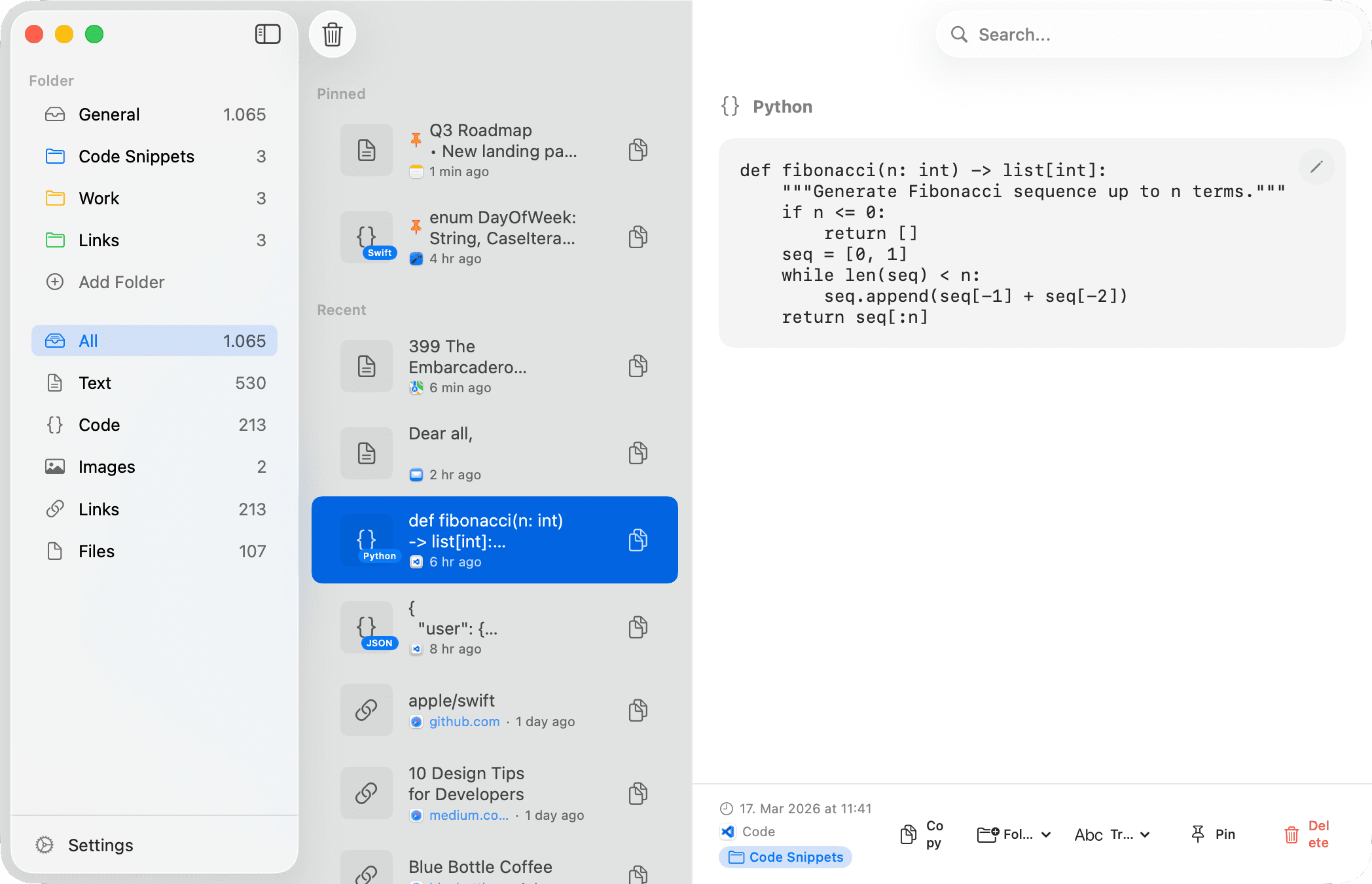
Recopy saves everything you copy — text, code, images, links, files. Search your history, organize with folders, and sync across all your Apple devices.
See it in action
The 60-second tour.
Search, paste, privacy, and sync — everything Recopy does, in about a minute.
Content types
Everything you copy, organized.
Recopy automatically detects and categorizes every type of content you copy, making it effortless to find what you need.
Text
Plain text, rich text, and anything you type or copy from any app.
Meeting notes from the Q4 product review...
Code
Auto-detected in 21+ languages with syntax highlighting.
let clipboard = UIPasteboard.general
Images
Screenshots, copied images, and image files with thumbnails.
Screenshot 2024-01-15.png
Links
URLs with rich Open Graph previews, titles, and favicons.
github.com/recopy/app
Files
Files copied from Finder, stored as paths for quick access.
config.production.yaml
Features
Everything you need, nothing you don't.
Powerful clipboard management with smart detection, seamless sync, and rock-solid privacy.
Unlimited History
Every piece of text, code, image, link, and file you copy is automatically saved. Never lose a copy again.
Full-History Search
Instant full-text search across everything you've ever copied — content, names, source apps, even file paths.
Smart Code Detection
Identifies code in 21+ languages and renders it with syntax highlighting in the detail view.
iCloud Sync
Copy on your Mac, paste on your iPhone. History — including images — syncs across all your Apple devices.
Developer Transforms
Format JSON, encode Base64, URL-encode, shell-escape, or wrap in a Markdown code block — one click from any item.
Built for AI Tools
The recopy-mcp server lets AI assistants like Claude read your clipboard history — read-only, with sensitive items always excluded.
Paste Queue
Copy multiple items, paste in sequence. Perfect for forms or moving data between apps.
Privacy First
Detects credit cards, API tokens, and private keys — with options to never save them or auto-delete after minutes. Password managers excluded by default.
Folders & Pins
Create custom folders with colors. Pin important items for instant access anytime.
Platforms
One app, every Apple device.
Native on macOS, iOS, and iPadOS. Lives in your menu bar on Mac, with a keyboard extension on iPhone and iPad.
macOS
Menu bar & full window
Requires macOS 14.0 (Sonoma) or later
iPhone & iPad
Full app & keyboard extension
Requires iOS 17.0 or later · iPadOS 17.0 or later
Pricing
Start free, go Pro when you're ready.
Recopy is free to use with core features. Upgrade to Pro for unlimited history, sync, and more.
Free
Everything you need to get started
- 10 items clipboard history
- All content types
- Code detection (21+ languages)
- Sensitive data detection
- Pin important items
- Search across history
- Keyboard shortcuts
- App exclusions
- Private mode
Pro
Unlimited power for your clipboard
Best value
- Unlimited clipboard history
- iCloud sync across all devices
- Folders with custom colors
- Paste queue
- Color detection
- Everything in Free
Ready to upgrade your clipboard?
Download Recopy and never lose a copy again. Free to start, with Pro features available when you need them.